Filters
Sort By
Customize this onesie mockup featuring a little girl in a ballerina costume, you can use it to showcase your design to your clients. Start using Placeit's online tool to create realistic mockups in a matter of seconds. Try it out now!
Create a realistic onesie mockup in a matter of seconds with Placeit's online generation tool! Check out this picture of a baby boy wearing a sublimated long-sleeved onesie. Start using Placeit now and get more sales on your POD store!
Relaxing on a couch watching a movie. This woman holds up her iPhone 5s gold, taking a look at your app. She’s lying on a great comfy couch with gorgeous red and white striped cushions. She’s cuddled up to relax for the night with your app. The iPhone 5S will hold a mockup image of 640 by 1136 pixels. This would be great for a leisure app, or some sort of social type app.
Customize this onesie mockup of a baby playing in front of a Christmas tree. With Placeit, you only need your browser and a few seconds to create realistic mockups to showcase your designs. Start using Placeit now and get more sales!
Customize this onesie mockup featuring a baby girl with her mom, it's really easy with Placeit! You just need to upload your design and that's it, you'll get a professional result in a matter of seconds. Start using Placeit right now!
Showcase your baby apparel designs using Placeit's sublimated onesie mockups and share them all over your favorite POD websites. What are you waiting for? Choose as many as you want and customize them in a few clicks. Start now!
Use now this beautiful PNG mockup featuring a MacBook standing against a transparent backdrop and market your app in a better way!
A laptop sits on a wooden restaurant table next to a cup of coffee. The laptop is tilted towards the right and holds a mockup image of up to 1366x768px. In the background a red brick wall gives way to a dark metal window. More wooden tables are present. The set is perfect for a management website or social website.
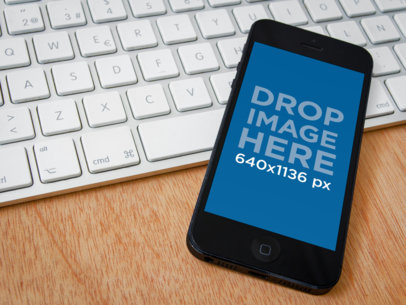
This fabulous iPad with its keyboard is set to landscape mode. Next to it an iPhone 5s rests on the table in portrait mode. Both are available for mockup images. The iPhone takes a 640x1136px image and the iPad takes a 1024x768px image. In front of the keyboard lies a stylus. They rest on a smooth concrete table. This is perfect for a powerful design app or business tool.
Here comes a triple threat! You can set up your mockup in not 1, not 2 but 3 iPhone 5s. The first two are set in portrait mode, the first one is white the second is grey on the top left of the stage. The third iPhone 5s is set in landscape mode below the first two phones. They all are set for an image of 640x1136px on a smooth concrete slab.
White iPhone 5c, black iPad Mini paralel to a black iPad, and a black iPhone 5s. iPhone 5c and iPhone 5s are touchscreen-based smarthphones. iPad Mini and iPad are tablet computers serving primarly as platform for audio visual media incorporating games, movies, music, web content. This Mockups are all laying on a wooden surface.
Double the exposure! Place two different product screenshots in this mockup. Both stages are at a left angle and portrait oriented. This side by side mockup is perfect for different angles of the same product or two completely different products! The white iPad is 768 x 1024 px. and the smaller black iPhone is 640 x 1136 px. Both units are lying on a grey tweed couch cushion. The contrast in color between the white iPad and the black iPhone gives this mockup a crisp and concise look.
This mockup is a wide image of a ground floor city office. A black laptop sits on top of a large, sleek, glass desk. The office chair behind the desk looks comfortable and adjustable. There is a large window in the background with the suggestion of a city street, cars, people, and shrubbery. Your product screenshot will fit nicely into this 366 x 768 px stage. This is a business environment for your target audience.
A black Dell laptop stands open in a brightly lit corporate office on top of a highly reflective glass desk. This is an extra wide image with a laptop mockup that supports a 1366 x 768 px stage. To the left is a chrome based white lamp. The background suggests a large window that also lets in more than adequate light. To the right is a burred image of the left shoulder of a prototype robot…..no, more likely to be a large copier or some other piece of high-tech office equipment. Either way, your product screenshot will look outstanding in this futuristic office environment.
Place your product screenshot in this 27 inch iMac. This is a large, left angled view of a classic black, circa 2011 iMac. It sits on a chrome stand in front of a blank background. With nothing else in this scene, your product screenshot will be foremost and immediately eye-catching. The landscape oriented stage is 1920 x 1080 px.
Place your screenshot for your apps on this extra large, mockup. The black laptop sits on top of a beige tabletop. Behind the stage is a white wall with a window. The small view outside the window shows greenery, as in a garden. The stage itself is a closeup of the laptop at a right angle. A huge 1366 x 768 px stage displays your product over 80% of this image.
Place your product screenshot into this rustic coffee-shop setting. A black laptop sits on an unfinished wooden table. The tables and chairs in the background are also made of wood. There is a brick fireplace in the center of the background. To the right is a coffee bar below pained glass windows. The laptop mockup stage is a landscape 1366 x 768 px.
Check it out! For the game and game components designers! Here is an exciting mockup to place your product screenshot! The Wii controller is being held by a young man at a left angle. He has one thumb on the right joystick and his left on the B button. He is sitting on a brown leather couch and is wearing comfortable jeans. He is having a blast testing your new game! The stage is 854 x 480 px landscape. Thinking of streaming? Get Twitch streaming tips here!
This close-up shot of a black laptop gives your product screenshot a large area for display. Sitting on a tan colored surface, the laptop is angled toward the right of the image. The user has both hands on the keyboard typing so fast, they blur. Just outside the window is some long, thick grass. Beyond that is a golf course or a large yard. The mockup stage itself is 1366 x 768 px.
MONTHLY